Image to Text · OCR
Copy text out of any screenshot
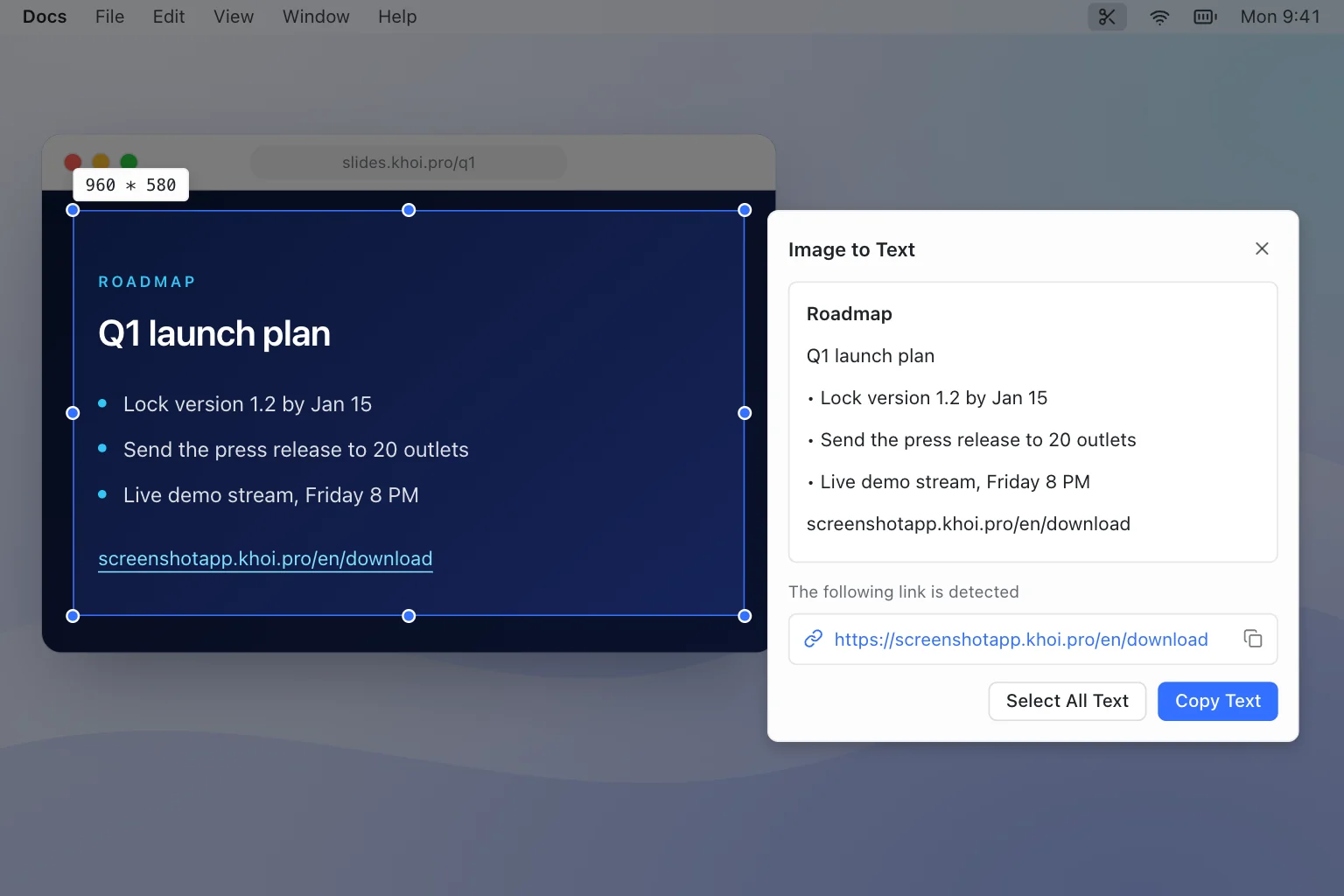
Select an area and Screenshot K recognizes the text inside it on-device with Apple Vision, with built-in profiles for Vietnamese, English, Spanish, Russian, French, and German.
Highlights
Why this feature
On-device, every time
Text recognition runs locally with Apple Vision — no internet connection and nothing leaves your Mac.
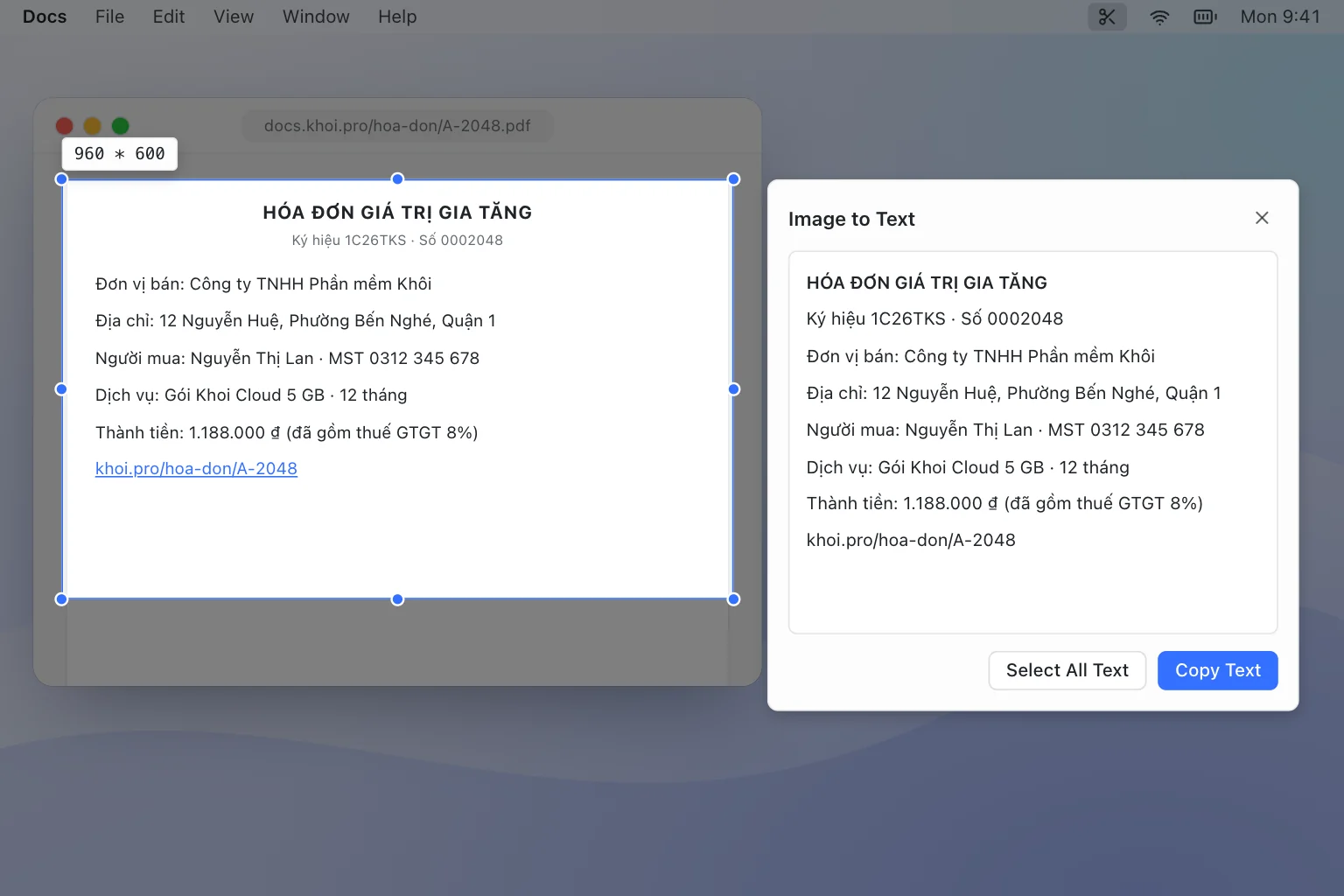
Vietnamese recognition built in
A dedicated Vietnamese profile combines vi-VT and en-US recognition for accurate diacritics.
Auto-detects the language
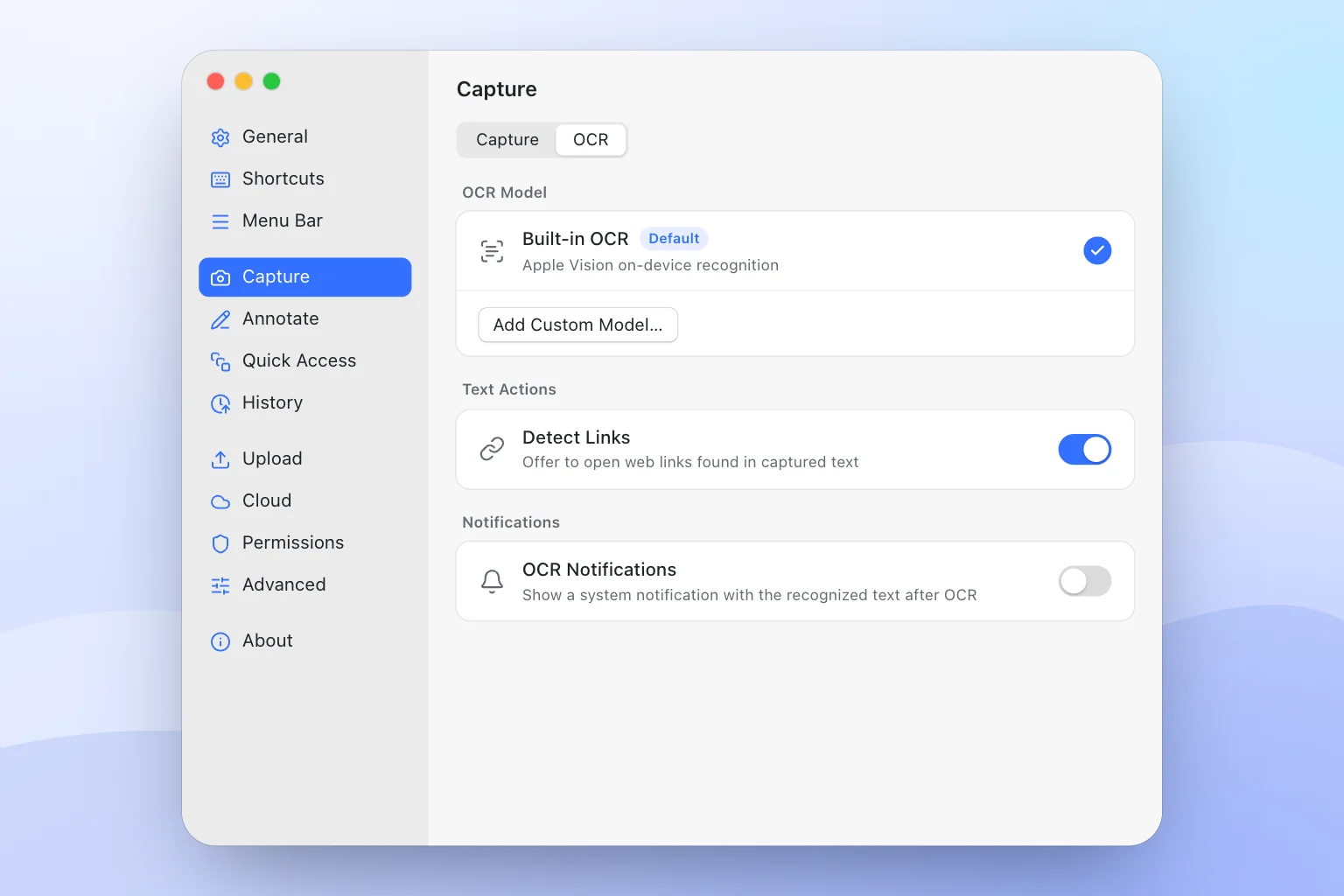
The default profile detects the language automatically, or you can pick a specific profile for better accuracy.
Six language profiles
English, Vietnamese, Spanish, Russian, French, and German, alongside the auto-detecting default.
Copy all or copy a line
Grab the whole block of recognized text at once, or copy individual lines.
How it works
Steps to do it
- 01
Trigger Image to Text
From the toolbar after a capture, or assign a shortcut in Preferences → Shortcuts.
- 02
Select the area with text
Drag over the text you want to read, the same way you'd select a screenshot.
- 03
Let Vision recognize it
Recognition happens instantly, on-device, using the auto-detect profile or one you've chosen.
- 04
Pick a profile if needed
Switch to Vietnamese, English, Spanish, Russian, French, or German for better accuracy on that language.
- 05
Copy all or copy a line
Copy the full block, or grab just the line you need.
Details
Go deeper
Seven recognition profiles
The default profile auto-detects the language. Dedicated profiles exist for English, Vietnamese (combining vi-VT and en-US for mixed text), Spanish, Russian, French, and German — pick one when you know what you're reading.
Apple Vision at accurate level
Screenshot K uses Apple's VNRecognizeTextRequest at its most accurate recognition level, the same framework behind text recognition elsewhere in macOS.
Specs
Limits, formats and requirements
- Engine
- Apple Vision (VNRecognizeTextRequest, accurate)
- Built-in profiles
- Auto-detect, English, Vietnamese, Spanish, Russian, French, German
- Runs
- 100% on-device
- Requires
- macOS 14+, Apple silicon
FAQ
Frequently asked questions
Related
Related features
Screenshot
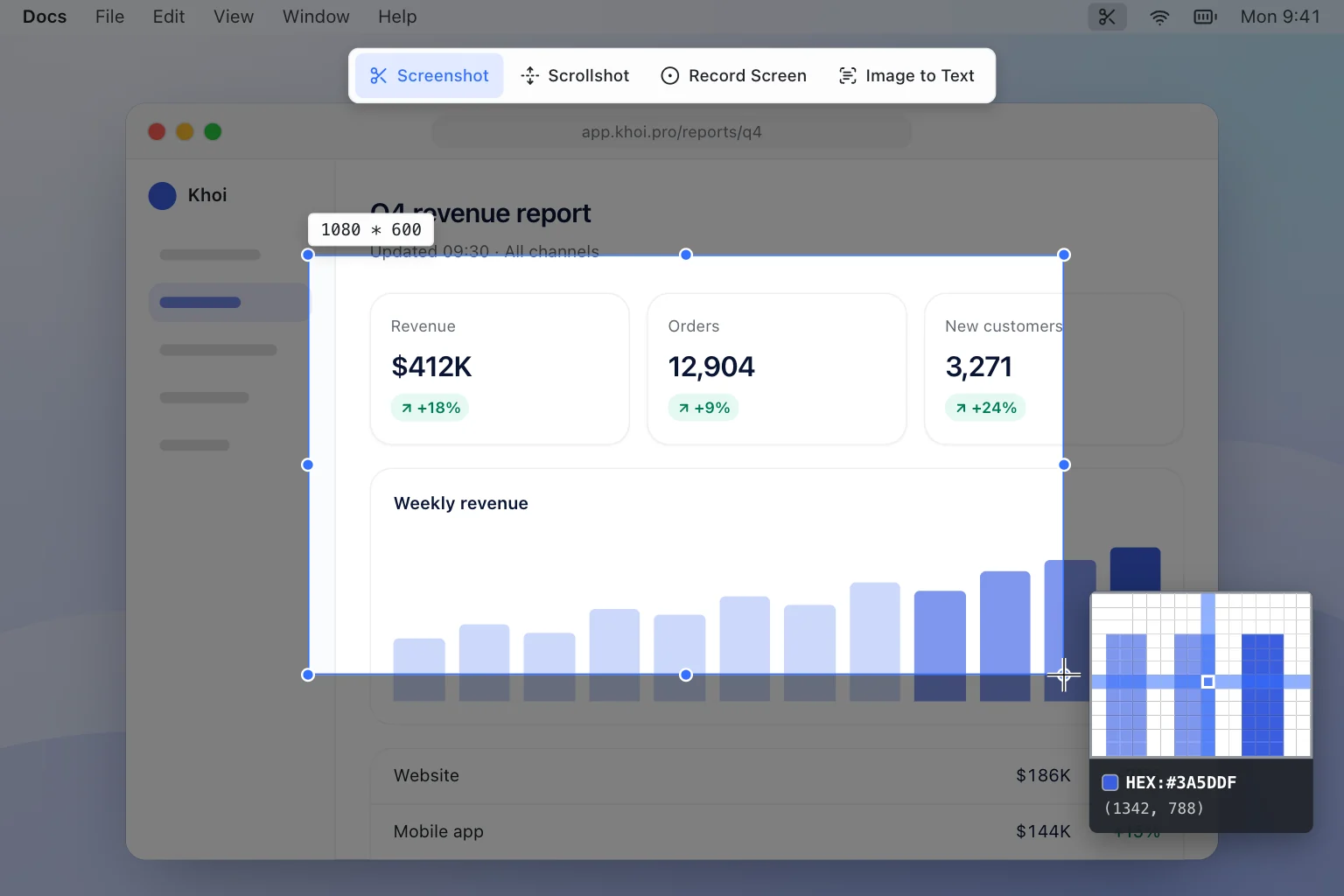
Area, window or UI element, all from ⌘⇧A
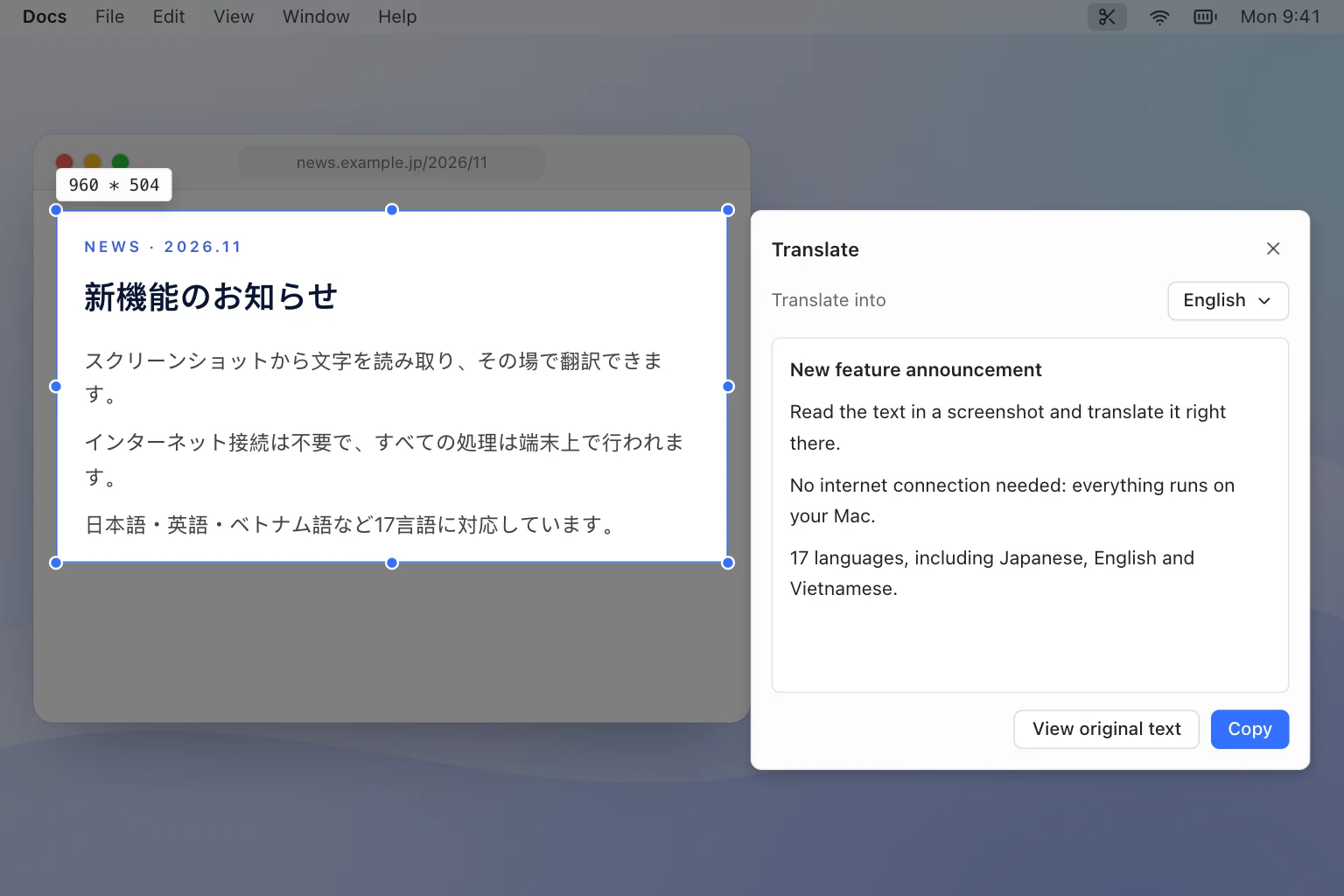
Translate
Translate text in a capture into 17 languages on device
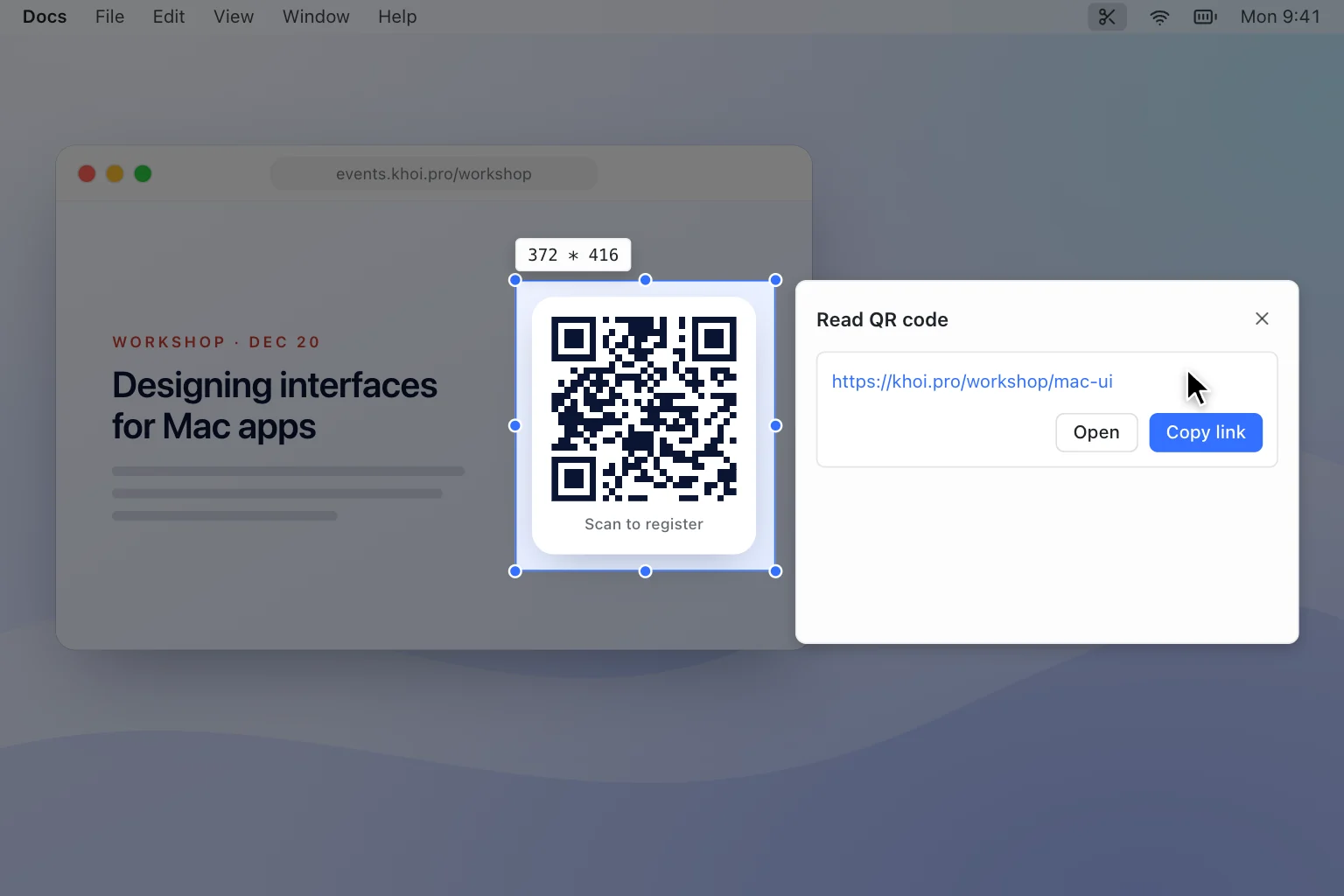
QR code scanner
Read any QR code on screen, no phone needed
Read more
Related posts

How to Copy Text from an Image on a Mac
macOS has free, on-device OCR built in. Here's how to copy text from a photo using Live Text, and when a dedicated OCR app makes more sense.

How to Screenshot on Mac: Every Method, Shortcut, and Format
The complete guide to taking a screenshot on Mac: every keyboard shortcut, the Screenshot app, clipboard vs. file, Markup, and when to use a dedicated app.
Ready to try Screenshot K?
Install in a minute, no account needed. Runs on macOS 14+, Apple silicon.
Version 1.3.0 · 45.1 MB